The Spam Problem in 2026
Spam email is not a minor inconvenience — it is a massive, global industry. Spammers, data brokers, aggressive marketers, and phishing operations collectively send hundreds of billions of emails every single day. Your personal email address is a commodity that gets harvested, sold, and resold the moment you enter it on any website that does not take privacy seriously.
I have spent years helping users manage email privacy, and the single most common frustration I hear is: "I do not even remember signing up for half of these." That is because you probably did not — your address was sold to marketing lists by a website you used months or years ago. Understanding how spam reaches your inbox is the first step to stopping it permanently.
How Spam Finds Your Inbox
Before fighting spam, you need to understand where it comes from. The main sources are:
- Website signups and data sharing: Most websites sell or share your email with marketing partners as part of their privacy policy. Every free download, newsletter signup, or account creation is a potential spam pipeline.
- Data breaches: When a company you used gets hacked, your email address ends up in breach databases that are bought and sold on the dark web. You can check if your email has been exposed at Have I Been Pwned.
- Email harvesting bots: Automated bots scrape email addresses from public websites, social media profiles, forums, and comment sections.
- List purchasing: Spammers buy email lists from data brokers — companies that aggregate personal information from hundreds of sources and sell it commercially.
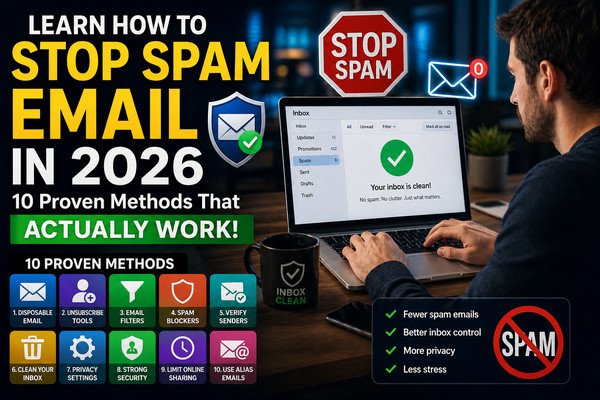
10 Proven Methods to Stop Spam Email
Use Disposable Email for Non-Essential Signups
This is the single most effective spam prevention method available, and it costs nothing. Any time you sign up for a website you do not fully trust — a free download, a news article paywall, a promotional offer, a free trial — use a temporary email address from Temp To Mail instead of your real one. The site gets a working email address, you get access to whatever you needed, and your real inbox receives zero spam from that interaction. Ever. If the temp address gets spammed, you simply delete it — it has zero impact on your real inbox. I switched to this workflow three years ago and it eliminated roughly 70% of the spam I was receiving within two months.
Use an Email Alias for Medium-Trust Signups
For services you plan to use long-term but do not fully trust with your main address — subscription services, shopping sites, apps — use an email alias service like SimpleLogin or addy.io (formerly AnonAddy). These create unique forwarding aliases that deliver to your real inbox, but which you can instantly disable if they start receiving spam. Unlike temp mail, aliases are permanent until you delete them — making them perfect for accounts that require ongoing email access. Read our full comparison: Disposable Email vs Alias Email.
Unsubscribe from Legitimate Marketing Emails
For spam from companies you actually recognise and once consented to hear from, unsubscribing is safe and effective. Legitimate businesses are legally required to honour unsubscribe requests within 10 business days. Look for the unsubscribe link in the email footer. For batch unsubscribing from dozens of newsletters at once, tools like Unroll.me can show all your subscriptions and let you remove them in bulk. Warning: never unsubscribe from emails sent by unknown senders you do not recognise — this confirms your address is active.
Enable and Train Your Spam Filter
Every major email provider — Gmail, Outlook, Yahoo — has a spam filter that improves with training. When a spam email makes it into your inbox, do not just delete it. Mark it as spam. This reports it to your provider and trains the filter to better catch similar emails in the future. Gmail's spam filter is particularly powerful — it uses machine learning to identify patterns across billions of emails. The more you use it, the better it gets at protecting your specific inbox.
Never Reply to Spam or Click Spam Links
Replying to a spam email — even to say "remove me" — confirms to the sender that your address is active and monitored. This makes your address more valuable and results in significantly more spam. The same applies to clicking any link in a suspicious email, including "unsubscribe" links from unknown senders. If you do not recognise the sender, do not interact with the email at all. Mark it as spam and delete it.
Opt Out of Data Broker Lists
Data brokers are companies like Acxiom, Epsilon, and Oracle Data Cloud that collect and sell personal information — including email addresses — to marketing companies worldwide. You can submit opt-out requests to each broker individually, or use a service like DeleteMe (paid) or Privacy Bee to automate the process across hundreds of brokers. This is time-consuming but has a significant long-term impact on the volume of unsolicited email you receive.
Create Email Filters and Rules
Both Gmail and Outlook allow you to create custom rules that automatically filter, label, archive, or delete emails matching specific criteria. You can filter by sender domain, subject line keywords, or specific phrases commonly found in promotional emails. For example, creating a filter that automatically archives any email containing "unsubscribe" in the footer moves newsletters out of your inbox automatically without losing them entirely.
Keep Your Real Email Private Online
Never post your real email address publicly — not in social media bios, forum profiles, blog comment sections, or anywhere visible to web crawlers. Bots continuously scrape the internet for email addresses in plain text format. If you need to display contact information publicly, write it in a format bots cannot easily parse: "yourname [at] domain [dot] com", or use a contact form instead of a direct email address.
Use a Dedicated "Junk" Email Address
Create a separate email address — through Gmail, Outlook, or any free provider — specifically for low-trust signups where you do need ongoing access. Use this address for shopping sites, loyalty programmes, app registrations, and similar services. When this inbox fills with spam, you simply check it less often. Your primary inbox, reserved for important contacts and services, remains clean. This is a lower-tech alternative to email aliasing for users who prefer a simpler setup.
Consider a Privacy-Focused Email Provider
If spam and privacy are ongoing concerns, switching your primary email to a privacy-focused provider like ProtonMail or Tutanota offers significantly stronger default protections. These providers do not scan your emails for advertising data, offer end-to-end encryption, and have more aggressive spam filtering defaults. The migration effort is real, but for users with serious privacy concerns, the long-term benefit is substantial.
Your Quick Action Plan — Start Today
You do not need to implement all ten methods at once. Here is a practical prioritised plan you can start executing right now:
- This minute: Bookmark Temp To Mail. Use it the next time any website asks for your email before you decide if you trust them.
- Today: Check Have I Been Pwned to see if your email has been in a breach. If it has, change passwords for affected accounts immediately.
- This week: Spend 20 minutes marking spam in your inbox rather than deleting it — this trains your filter aggressively.
- This month: Batch unsubscribe from newsletters you no longer read using Unroll.me or similar tools.
- Long term: Gradually shift one-time and low-trust signups to temp mail or a dedicated junk address, and consider an email alias service for medium-trust accounts.
Trusted Resources for Email Privacy
For further reading on email security and spam protection from authoritative sources:
- Have I Been Pwned — check if your email appeared in a data breach
- SimpleLogin — open-source email alias service for privacy
- ProtonMail — end-to-end encrypted, privacy-first email provider
- EFF Surveillance Self-Defense — comprehensive digital privacy guide including email
- DeleteMe — service that removes you from data broker lists automatically
More Guides on Email Privacy
If this guide was helpful, these related articles go deeper into specific aspects of email privacy and disposable email use:
- Is Temp Mail Safe? A Complete Security Analysis — understand the security model behind disposable email services
- Disposable Email vs Alias Email — Which Should You Use? — detailed comparison of the two main privacy email strategies
- Top 10 Uses of Burner Email in 2026 — practical scenarios where temp mail protects your privacy
- Best Temp Mail for Developers in 2026 — if you also test email flows professionally