Email Header Analyzer
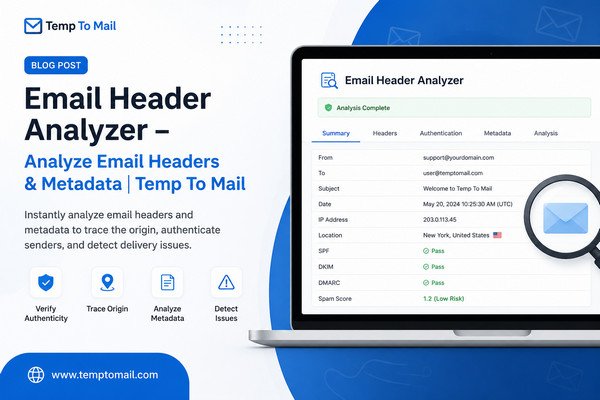
Paste email headers to extract sender information, authentication status, and routing details
Analyzing email headers...
What is an Email Header Analyzer?
An Email Header Analyzer is a powerful security tool that parses and analyzes email headers to extract valuable information about an email's origin, routing path, and authentication status. Email headers contain metadata that helps identify the sender, verify authenticity, and detect spam or phishing attempts.
Our free email header parser extracts key information like sender IP address, authentication results (SPF, DKIM, DMARC), and routing details. This helps you trace the email's origin, verify its legitimacy, and identify potential security threats.
What Information Can You Extract from Email Headers?
- Sender IP Address: The IP address of the email's origin
- Authentication Results: SPF, DKIM, and DMARC verification status
- Routing Path: The servers the email passed through
- Sender Domain: The domain of the sender's email address
- Reply-To Address: Where replies will be sent
- Message-ID: Unique identifier for the email
- Timestamp: Date and time the email was sent
- Email Subject: The subject line of the email
How to Get Email Headers
- Gmail: Open the email → Click three dots (⋮) → Select "Show original"
- Outlook: Open the email → File → Properties → Internet headers section
- Yahoo Mail: Open the email → Click "More" → Select "View raw message"
- Apple Mail: Open the email → View → Message → Raw Source
- Thunderbird: Open the email → View → Headers → All
Frequently Asked Questions
What is an Email Header Analyzer?
An Email Header Analyzer is a tool that parses and analyzes email headers to extract valuable information like sender IP, authentication status, routing path, and spam indicators. It helps trace the origin and verify the authenticity of an email.
What information can I get from email headers?
Email headers contain information about the sender's IP address, email servers the message passed through, authentication checks (SPF, DKIM, DMARC), timestamps, and spam scores. This helps identify phishing attempts and track email origins.
How do I get email headers from my email client?
In Gmail, click the three dots in the email and select 'Show original'. In Outlook, open the email and go to File > Properties. In Yahoo Mail, click 'More' then 'View raw message'. The headers will be displayed for you to copy.
Can this tool detect phishing emails?
Yes, by analyzing authentication results (SPF, DKIM, DMARC) and checking the sender's IP and domain, our tool can help identify potential phishing attempts and suspicious emails.
Is my email header data safe when using this tool?
Yes, all header analysis is performed locally in your browser. The email header data you paste is never sent to any server or stored. Your privacy and security are fully protected.