IP Address Lookup
See your current IP address and detailed location information
Your Current IP Address
Loading...
Detecting your location...
Looking up IP information...
What is an IP Address Lookup?
An IP Address Lookup is a tool that reveals your public IP address along with detailed geolocation information. Your IP (Internet Protocol) address is a unique identifier assigned to your device when you connect to the internet. It allows websites and services to know where to send the data you request.
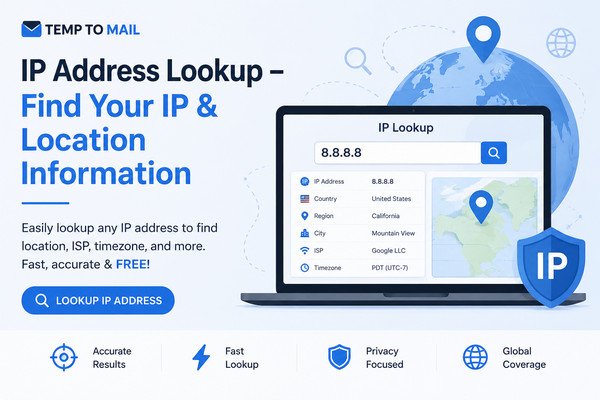
Our free IP lookup tool provides detailed information about any IP address including the country, region, city, ISP (Internet Service Provider), timezone, and geographic coordinates. This information can be useful for network troubleshooting, security analysis, and understanding your online presence.
What Information Can You Get from an IP Lookup?
- IP Address: Your public IPv4 address
- Location: Country, region/state, and city
- ISP: Your Internet Service Provider
- Timezone: The timezone associated with your IP location
- Coordinates: Approximate latitude and longitude
- Connection Type: ISP/Organization name and network details
How to Use This Tool
- Your IP: Simply load the page to see your current IP address and location
- Lookup Any IP: Enter any IP address in the search box and click "Lookup IP"
- Refresh: Click "My IP" to refresh your current IP information
- Copy: Use the copy buttons next to each detail to save information
Frequently Asked Questions
What is an IP Address Lookup tool?
An IP Address Lookup tool is a utility that displays your public IP address along with detailed geolocation information including your approximate location, ISP, timezone, and other IP-related data.
What information does an IP lookup provide?
An IP lookup typically provides your public IP address, country, region, city, ISP (Internet Service Provider), timezone, latitude/longitude coordinates, and connection type.
Is my IP address private information?
Your public IP address is visible to every website you visit. While it doesn't reveal your exact physical address, it can show your general location (city/region). Using a VPN can help protect your privacy by masking your IP.
Why does my IP address location show a different city?
IP geolocation databases often show the location of your ISP's infrastructure rather than your exact physical location. This is why your IP location might show a different city, especially if you're using a VPN or mobile network.
Can I hide my IP address?
Yes, you can hide your IP address by using a VPN (Virtual Private Network), a proxy server, or the Tor network. These services route your internet traffic through different servers, masking your real IP address.