Strong Password Generator
Create secure passwords with customizable length and character types
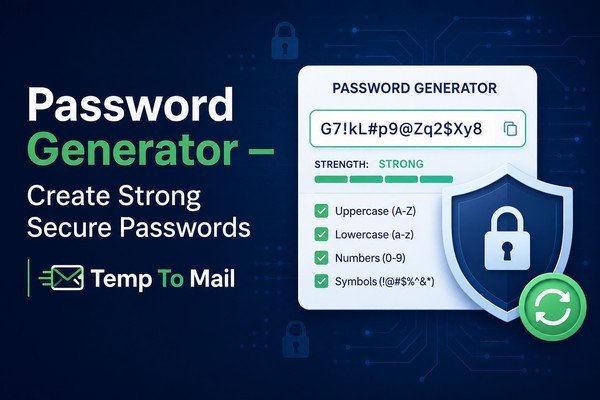
What is a Password Generator?
A password generator is an essential online tool that creates random, secure passwords based on your chosen criteria. In today's digital world, using strong, unique passwords for each of your online accounts is one of the most effective ways to protect your personal and professional information from cyber threats.
Our free password generator uses cryptographically secure random number generation to create passwords that are virtually impossible to guess or crack. You can customize the length and character types to meet the specific requirements of different websites and applications.
Why Use a Password Generator?
Here are the top reasons why you should use a password generator for all your online accounts:
- Unmatched Security: Randomly generated passwords are exponentially harder to crack than human-created ones.
- Unique Passwords: Generate a different password for each account to prevent credential stuffing attacks.
- Complexity Made Easy: Create passwords with a mix of character types without having to think about them.
- Meets Requirements: Customize length and character types to satisfy any website's password policy.
- No Reuse: Stop the dangerous habit of reusing passwords across multiple sites.
- Time Saver: Generate a secure password in seconds instead of trying to think of one yourself.
How to Create a Strong Password
Follow these best practices when creating passwords:
- Length Matters: Use at least 12-16 characters. Longer passwords are significantly more secure.
- Mix Character Types: Include uppercase, lowercase, numbers, and special symbols.
- Avoid Personal Information: Never use birthdays, names, or common words.
- Don't Use Patterns: Avoid keyboard patterns like "qwerty" or sequential numbers.
- Use a Password Manager: Store your generated passwords securely in a password manager.
- Enable Two-Factor Authentication: Add an extra layer of security to your accounts.
Features of Our Password Generator
- Customizable Length: Choose from 6 to 64 characters.
- Character Options: Toggle uppercase, lowercase, numbers, and symbols on/off.
- Exclude Similar Characters: Avoid confusing characters like 'i', 'l', '1', 'O', '0'.
- Strength Meter: Visual indicator of password strength from Weak to Strong.
- One-Click Copy: Easily copy the generated password to your clipboard.
- Client-Side Generation: Your password is generated in your browser and never sent to a server.
Password Security Tips
- Use a unique password for every online account.
- Change your passwords every 3-6 months or immediately if you suspect a breach.
- Enable two-factor authentication (2FA) whenever available.
- Use a password manager to store and organize your passwords securely.
- Be wary of phishing attempts that try to steal your credentials.
- Never share your passwords with anyone, and avoid writing them down.