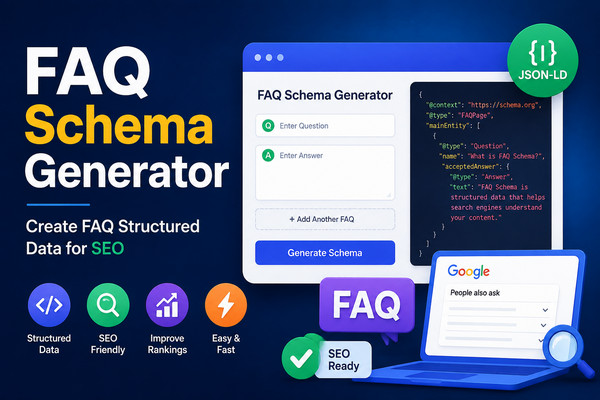
FAQ Schema Generator
Generate FAQ structured data markup for rich search results and voice search optimization
Rich Results
Voice Search
Higher CTR
JSON-LD Ready
Questions: 0
Each line should contain a question and answer separated by a pipe (|) symbol
Image URL is optional but recommended for better social sharing
JSON-LD FAQ Schema
{ }
HTML Script Tag
<script type="application/ld+json">{ }</script>
What is FAQ Schema?
FAQ Schema is structured data that marks up frequently asked questions on your page. It helps search engines display your FAQs directly in search results with expandable accordion sections, increasing click-through rates and improving user engagement.
Our free FAQ schema generator creates valid JSON-LD code for FAQ pages. You can add unlimited questions and answers, and the tool automatically generates the complete structured data markup with proper formatting and image SEO for better search visibility.
Why Use FAQ Schema?
- Rich Results: FAQ Schema helps your content appear in rich search results with expandable accordion sections.
- Voice Search Optimization: Structured data is essential for voice search, helping virtual assistants find and deliver your content.
- Higher CTR: Rich snippets increase click-through rates by making your search listing more attractive and informative.
- Better User Experience: Users can find answers to their questions directly from the search results page.
- Increased Visibility: FAQ schema takes up more space in search results, making your listing stand out.
FAQ Schema Best Practices
- Use Genuine Questions: Only include questions that are actually asked by users about your content.
- Provide Clear Answers: Answers should be concise, accurate, and helpful.
- Keep It Relevant: FAQs should be directly related to the page content.
- Use Proper Formatting: Each question should be on a new line with the format "Question | Answer".
- Include Image SEO: Add an image URL with width and height for better social sharing.
- Test Your Markup: Use Google's Rich Results Test to validate your FAQ schema.
How to Use This Tool
- Enter Questions & Answers: Type each question and answer on a new line using "Question | Answer" format.
- Add Page URL: Enter the URL of your FAQ page.
- Add Image (Optional): Provide an image URL with width and height for social sharing.
- Generate Code: Click "Generate FAQ Schema" to create your JSON-LD code.
- Copy & Paste: Copy the HTML script tag and paste it into your website's
<head>section.
Common Use Cases for FAQ Schema
- Support Pages: Help users find answers to common support questions.
- Product Pages: Answer customer questions about products and services.
- Service Pages: Explain your services and address potential concerns.
- Blog Posts: Address questions related to your blog content.
- Landing Pages: Overcome objections and provide information.
- Knowledge Bases: Organize and display frequently asked questions.
Frequently Asked Questions
What is FAQ Schema?
FAQ Schema is structured data that marks up frequently asked questions on your page. It helps search engines display your FAQs directly in search results with expandable accordion sections, increasing click-through rates and improving user engagement.
Why use FAQ Schema for SEO?
FAQ Schema helps your content appear in rich search results with expandable accordion sections. This increases visibility, improves click-through rates, and helps search engines understand your content better. It's especially useful for voice search optimization.
How many questions can I add?
You can add unlimited questions to your FAQ schema. Each question should be followed by its answer using the format 'Question | Answer' on separate lines. The tool will automatically generate the complete JSON-LD code.
Is this FAQ Schema Generator free?
Yes. This tool is 100% free with no registration, no limits, and no hidden costs. Generate unlimited FAQ schema markup at no charge. All features are available without any payment or subscription.
How do I add FAQ Schema to my website?
Copy the generated JSON-LD code and paste it inside a
<script type="application/ld+json"> tag in the <head> or <body> of your HTML page. The tool provides the complete script tag for easy implementation. For best results, place it in the <head> section.