JSON-LD Schema Generator
Generate structured data markup with image SEO for better search visibility
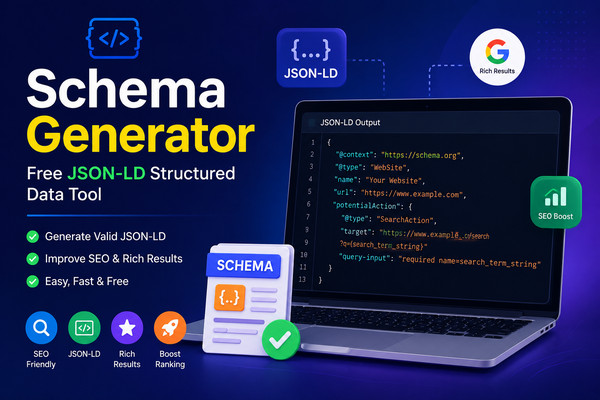
Image URL is required for rich snippets and social sharing
Image URL is required for rich snippets and social sharing
Optional: Add an image for better social sharing of your FAQ page
JSON-LD Code
{ }
HTML Script Tag
<script type="application/ld+json">{ }</script>
What is a Schema Generator?
A Schema Generator is an essential SEO tool that creates JSON-LD structured data markup for websites. Structured data helps search engines understand your content better and enables rich snippets in search results with enhanced visual elements like images, stars, and additional information.
Our free schema generator creates valid JSON-LD code for multiple schema types including Article, Product, FAQ, Person, Organization, LocalBusiness, Event, Recipe, and Review. Each schema type includes proper image SEO with width, height, and alt text for better search visibility.
Why Use Schema Markup?
- Better SEO Rankings: Schema markup helps search engines understand your content context, improving your chances of ranking higher in search results.
- Rich Snippets with Images: Enable rich results like star ratings, product images, event dates, and FAQ accordions directly in search results.
- Voice Search Ready: Structured data is essential for voice search optimization, helping virtual assistants find and deliver your content.
- Higher CTR: Rich snippets increase click-through rates by making your search listing more attractive and informative.
- Image SEO: Proper image schema helps your images appear in image search and enhances social media sharing.
Schema Types Available
- Article: For news articles, blog posts, and editorial content.
- Product: For e-commerce products with price, availability, and brand.
- Person: For personal profiles, authors, and team members.
- Organization: For companies, brands, and non-profits.
- LocalBusiness: For local stores, restaurants, and service providers.
- Event: For concerts, conferences, and scheduled activities.
- Recipe: For cooking recipes with ingredients and instructions.
- Review: For user reviews and ratings.
- FAQ: For frequently asked questions with expandable answers.
How to Use This Tool
- Select Schema Type: Choose from 9 different schema types.
- Fill Required Fields: Enter name, description, URL, and image details.
- Add Image SEO: Provide image URL, width, and height for rich snippets.
- Generate Code: Click generate to create your JSON-LD code.
- Copy & Paste: Copy the HTML script tag and paste it into your website.
Frequently Asked Questions
What is a Schema Generator?
A Schema Generator is a tool that creates JSON-LD structured data markup for websites. It helps search engines understand your content better and enables rich snippets in search results with enhanced visual elements like images, stars, and additional information.
What types of schema can I generate?
You can generate Article, Product, Person, Organization, LocalBusiness, Event, Recipe, Review, and FAQ schema. Each type includes proper JSON-LD formatting with all required fields including image URLs for rich snippet display.
Why is image schema important for SEO?
Image schema helps search engines understand and display your images in rich results. Proper image markup with width, height, and alt text improves visibility in image search and enhances the appearance of your content in social media sharing.
Is this Schema Generator free?
Yes. This tool is 100% free with no registration, no limits, and no hidden costs. Generate unlimited schema markup at no charge. All features are available without any payment or subscription.
How do I add schema markup to my website?
Copy the generated JSON-LD code and paste it inside a
<script type="application/ld+json"> tag in the <head> or <body> of your HTML page. The tool provides the complete script tag for easy implementation. For best results, place it in the <head> section.